 ZenVoice
100% on-device · for Mac
Say it messy. Send it clean.
Press a shortcut, speak, and your words land in any app. Transcribed and polished on your Mac, never in the cloud.
Launch price for the first 100 · $14.99 once · No subscription · On Windows? Join the waitlist
Press ⌃ ⌥ Space to replay the dictation
73×
faster than real time
Parakeet V3 on an M5
0.4 s
to clean text
ZenPolish, per dictation
25
languages on your Mac
plus Hinglish
0 bytes
of your voice leave your Mac
no account, no cloud
Types into every app, Chrome and Electron included.
- Messages
- Telegram
- Slack
- Outlook
- Notes
- Pages
- Word
- Obsidian
- Bear
- ChatGPT
- Xcode
- Visual Studio Code
- Terminal
- Ghostty
- Android Studio
- Safari
- Google Chrome
- Dia
- Keynote
- Numbers
- Things
- Spark























Films
See it, then hear it.
Every feature, chapter by chapter: cleanup, numbers, tone, agents, review, dictionary, languages, offline. Original score.
Take the 4-minute app tour →01 · Cleanup
Finished text, not a transcript.
- “um so uh can we move the the launch to thursday”Can we move the launch to Thursday?
- “send it by friday, scratch that, thursday”Send it by Thursday.
02 · Speed
Faster than your fingers.
23 min
saved a day
1.9 h
saved a working week
Typing at 52 words a minute, the average across 168,000 typists (Dhakal et al., 2018), against speaking at a relaxed 130. Your own words per minute are in Insights.
03 · Formatting
Written the way you’d type it.
- Try it: pick an app and see the same sentence written for it.
You say
“hey are we still on for five pm”
Mail · Professional
Hello, are we still meeting at 5 pm?
“three thousand dollars”
$3,000
“meet me at one twenty”
1:20
“one hundred twenty chairs”
120 chairs
04 · Context
It reads the room, then forgets it.
To: Anjali Mehta, Dev Patel · Re: Launch plan
Anjali: can we move the review to Friday?
I talked to Priyanka about it. The deck is ready.
Reads
The window around the text field: the thread, the recipient, the project.
Uses
Names in view spelled right, the thread's tone matched, file names spelled the project's way.
Keeps
Nothing. It is read for one dictation, then forgotten.
05 · Agents and terminals
Talk to your agents. Terminals get your exact words.
- Works in Terminal, iTerm, Ghostty and Warp, and with Claude Code, Codex, Cursor, VS Code and Xcode.
# you say: “git push dash dash force-with-lease origin main”
~/zenvoice $ git push --force-with-lease origin main
06 · Dictionary
It asks before it remembers.
07 · Languages
25 languages. And Hinglish.
Said in Español
NVIDIA Parakeet V3Canto para que me escuchen.
Press a language to hear it, and see it written as it's spoken.
08 · Your numbers
Counted on your Mac.
09 · Privacy
Nothing leaves your Mac. Check it yourself.
- Downloading a model you pick, verified by SHA-256
- Checking for signed updates
Network monitor · ZenVoice
Dictations today
41
Sent while dictating
0 bytes
Every host ZenVoice ever contacts
- huggingface.coModel downloadWhen you click Download
- getzenvoice.comUpdate checkAbout once a day, if on
- getzenvoice.comLicence activationOnly when you activate
None of them during a dictation. That's the whole list.
10 · Extras
Small things you’ll use every day.
Hold, tap or hands-free
Hold the shortcut to talk, tap to lock it on, or let it start when you speak.
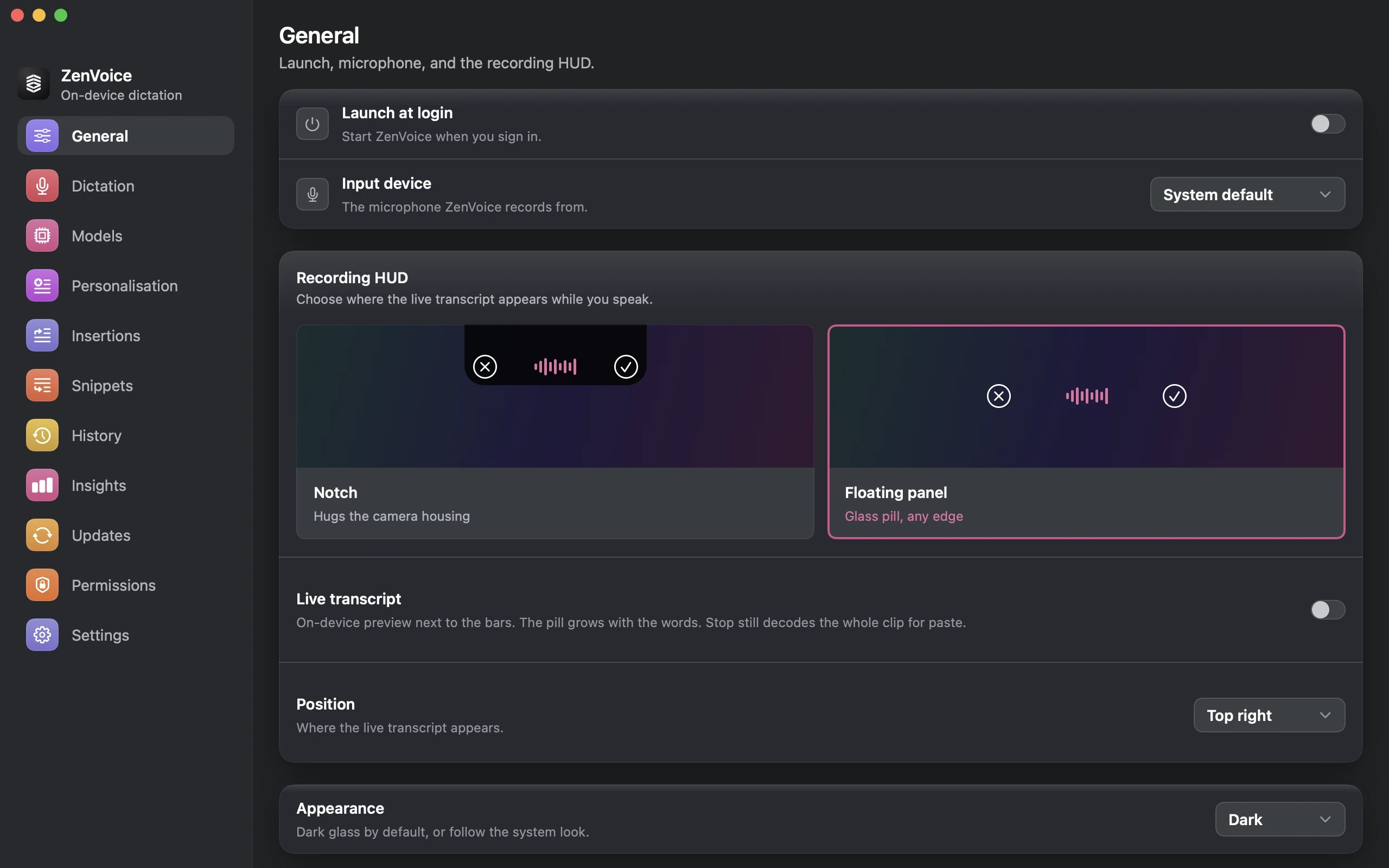
Notch or floating
Your words appear as you speak, in the notch or in a bar at the bottom.
Review before inserting
The bar opens into a card: read it, fix a word, then insert.
Edit by voice
Select text and say “make it shorter” or “turn it into bullet points”.
Snippets
Say “insert my mailing address” and the whole block lands.
Spoken commands
“New paragraph”, “open parenthesis”, “thinking emoji” 🤔.
Paste the last one
⌃⌥V pastes your last dictation anywhere.
Audio History
Keep the recordings if you like, and play them back.
Recovery Inbox
If a dictation ever fails, the audio is kept so you can try it again.
14 models from 7 publishers, running on your Mac
14 Models Available
Eleven speech engines and three Smart formatting models. Every download is pinned to a reviewed revision and checked by SHA-256 before it runs.

- Apple
Speech - Parakeet
V3 - Parakeet
V2 - Nemotron
3.5 - Qwen3‑ASR
0.6B - Cohere
Transcribe - Whisper
Turbo - Whisper
Small - Whisper
Tiny EN - Whisper
Tiny - हHinglish
Prime - Apple
Intelligence - ZenPolish
1.7B v2.2 - Qwen 3.5
2B
Benchmarks
Measured, not claimed.
Word error rate and speed on Common Voice Spontaneous 4.0 · 262 clips · 51 min, MacBook Pro M5. Lower WER is better.
| Engine | WER | Segmented WER | p50 decode | p95 decode | Real time |
|---|---|---|---|---|---|
| NVIDIA Parakeet TDT 0.6B V3Lowest WER | 6.9% | 8.3% | 0.13 s | 0.37 s | 73× |
| NVIDIA Parakeet TDT 0.6B V2 | 7.3% | 9.3% | 0.12 s | 0.37 s | 73× |
| Whisper Large V3 Turbo | 8.2% | 9.8% | 1.00 s | 2.19 s | 11× |
| Cohere Transcribe | 10.8% | 12.5% | 1.93 s | 5.75 s | 5× |
| NVIDIA Nemotron 3.5 Multilingual 0.6B | 13.8% | 14.0% | 0.20 s | 0.60 s | 45× |
Made for people who write all day.
Same engine, different apps, names and tone. Find the page written for the way you work.
How ZenVoice compares.
Against the apps people weigh it with, as each describes itself. If you need a phone app today, or you transcribe audio files, one of them may suit you better.
| Feature | ZenVoice | Wispr Flow | Superwhisper | SpeakMac |
|---|---|---|---|---|
| Where your speech is processed | On your Mac | In the cloud | On your Mac or in the cloud | On your Mac |
| Works with no internet | Yes | No | With local models | Yes |
| Account needed | No | Yes | Not for the free plan | No |
| Price | $14.99 once (launch price, first 100) | Free up to 2,000 words a week, then $12–15 a month | Free, or $8.49 a month for Pro | $29–39 once |
| Platforms | Mac (Windows in the works) | Mac, Windows, iPhone, Android | Mac, Windows, iPhone, Android | Mac |
| Own writing model, with a published benchmark | Yes | No | No | No |
| Numbers, times and money written by fixed rules | Yes | Not stated | Not stated | Not stated |
| Tone that follows the app | Yes | Yes | Modes you pick | Styles you pick |
| Choice of on-device speech models | 14 models | Not stated | Yes | Not stated |
| Project file names spelled right for agents | Yes | Not stated | Not stated | Not stated |
| Review before the text lands | Yes | Not stated | Not stated | Not stated |
| Hinglish | Hinglish Prime | Not stated | Not stated | Not stated |
| Keeps the audio if a dictation fails | Recovery Inbox | Not stated | Not stated | Not stated |
| Transcribes audio files | No | No | Yes | Yes |
Competitors as each describes itself on its own site, checked September 27, 2026: Wispr Flow, Superwhisper, SpeakMac. Wispr Flow: “Transcription always happens in the cloud” (privacy page). Spotted something out of date? Tell us at hello@getzenvoice.com.
Pricing
Pay once. Yours forever.
Both plans cover two Macs, every model and every language. The only difference: how long you get new features.
Pro
Everything ZenVoice does today, on two Macs, with a year of new features.
Upgrade to Lifetime any time for the difference: $25.00 at launch prices.
- 2 Macs
- All 14 models and every language
- Runs offline. Nothing leaves your Mac
- 1 year of new features and new models
- Bug fixes, UI fixes and macOS compatibility forever
Lifetime
RecommendedEvery update we ever ship, including new features and new models.
Every update we ever ship, for one payment.
- 2 Macs
- All 14 models and every language
- Runs offline. Nothing leaves your Mac
- Every new feature and new model, forever
- Bug fixes, UI fixes and macOS compatibility forever
Questions people ask before buying.
Does it work offline?
Yes. Dictation never needs the internet. ZenVoice goes online only to download a model you pick and to check for signed updates.
Is my voice used to train anything?
No. Your audio and your words never leave your Mac, so there is nothing to train on.
Do I need an account?
No. There is no sign-up and nothing to log in to.
Which Macs does it run on?
macOS 15 or later, on Apple silicon or Intel. Every model runs on Apple silicon; ZenPolish needs it, and Apple Speech needs macOS 26.
Does it work in every app?
It types into any text field: Mail, Slack, Messages, Notes, browsers, Chrome and Electron apps, code editors and terminals.
How is it different from the dictation built into macOS?
ZenVoice cleans up what you say, writes numbers and times by rule, matches the tone of the app, learns your words when you say yes, spells your project's file names for agents, and lets you pick from 14 models.
Is it a Wispr Flow alternative?
On a Mac, yes: your speech is processed on your Mac instead of in the cloud, there's no account, and you pay once. Wispr Flow also runs on phones, which ZenVoice doesn't; ZenVoice for Windows is in the works.
Why is it better at numbers and times?
Because rules write them, not a model's guess. “Three thousand dollars” is always $3,000 and “one twenty” in a time is always 1:20.
How big is the download?
The app is small; models download separately, and you pick which. The default speech engine, Parakeet V3, is 0.9 GB. Every model's size is on the Models page.
Does it speak my language?
25 European languages with Parakeet V3, many more with Whisper, and Hinglish with Hinglish Prime. Hindi in Devanagari isn't offered yet.
What's the difference between Pro and Lifetime?
Only updates. Pro ($14.99) includes a year of new features and models; Lifetime ($39.99) includes every one we ever ship. Both cover two Macs, and bug fixes and macOS compatibility continue for both.
Can I buy for a team?
Yes: one licence per Mac, from 5 Macs, and the price per Mac drops as the team grows. Over 100 Macs, talk to us.
Will there be a Windows version?
Yes, it's in the works. Join the Windows waitlist at getzenvoice.com/windows and we'll email you once, when it's ready. There's no iPhone version planned.
How it works
Download ZenVoice
1

Pick a model
2
Press ⌃⌥Space and talk
3

Download ZenVoice
Mac
AvailablemacOS 15 or later. Apple Speech needs macOS 26.
Windows
In the worksWe’re building ZenVoice for Windows. Join the waitlist and we’ll email you once, when it’s ready. More about Windows →
Your email is used for this one message and nothing else.